
Modern IT Infrastructure Best Practices
Introduction
Information Technology (IT) infrastructure is the foundation of every modern organization. It includes the hardware, software, networks, cloud services, storage systems, security solutions, and management tools that support business operations. Whether a company is a small startup or a large enterprise, a reliable IT infrastructure is essential for communication, data storage, application performance, and business continuity.
As technology continues to evolve, organizations must modernize their IT infrastructure to meet increasing demands for scalability, security, availability, and efficiency. Traditional infrastructure alone is often not enough to support remote work, cloud computing, big data, artificial intelligence, and digital transformation initiatives.
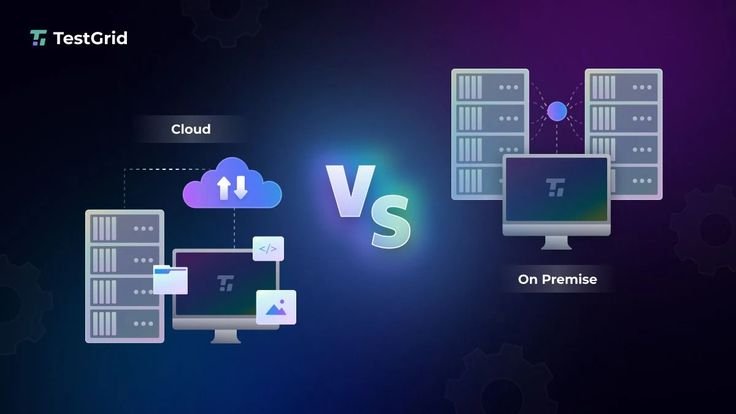
Modern IT infrastructure combines on-premises resources, cloud services, virtualization, automation, and advanced security practices to create flexible and resilient environments. However, building and maintaining such infrastructure requires careful planning and adherence to proven best practices.
This guide explains the most important IT infrastructure best practices that help organizations improve performance, strengthen security, reduce operational risks, and support long-term business growth.
What Is IT Infrastructure?
IT infrastructure refers to all the technology components that support business operations.
It typically includes:
- Servers
- Computers
- Storage systems
- Networking equipment
- Cloud platforms
- Operating systems
- Applications
- Databases
- Security tools
- Backup systems
Together, these components enable organizations to deliver digital services efficiently.
Why Modern IT Infrastructure Matters
A modern IT infrastructure provides many business benefits.
These include:
- Better system performance
- Higher availability
- Stronger cybersecurity
- Easier scalability
- Faster deployment
- Improved employee productivity
- Business continuity
- Reduced downtime
- Lower operational costs
- Support for digital transformation
Modern infrastructure allows businesses to adapt quickly to changing technology requirements.
Design Infrastructure for Scalability
Business needs change over time.
Infrastructure should be designed to support future growth without requiring complete replacement.
Scalable infrastructure allows organizations to:
- Add servers
- Expand storage
- Increase network capacity
- Support more users
- Deploy additional applications
Planning for scalability reduces future costs.
Use Cloud Services Strategically
Cloud computing offers flexibility and efficiency.
Organizations should evaluate which workloads are suitable for:
- Public cloud
- Private cloud
- Hybrid cloud
Cloud services help businesses:
- Scale resources
- Improve availability
- Reduce hardware investments
- Simplify disaster recovery
A balanced cloud strategy supports long-term growth.
Standardize Infrastructure
Standardization improves consistency across IT environments.
Organizations should standardize:
- Operating systems
- Server configurations
- Software versions
- Security settings
- Deployment procedures
Consistent environments reduce configuration errors.
Implement Strong Cybersecurity
Security should be integrated into every infrastructure component.
Best practices include:
- Firewalls
- Multi-Factor Authentication (MFA)
- Data encryption
- Endpoint protection
- Intrusion detection
- Security monitoring
- Access controls
Strong cybersecurity reduces the risk of cyberattacks.
Keep Systems Updated
Outdated systems create security vulnerabilities.
Organizations should regularly update:
- Operating systems
- Applications
- Firmware
- Network devices
- Security software
Timely updates improve both security and performance.
Automate Routine Tasks
Automation reduces manual effort and human error.
Organizations can automate:
- Software deployment
- Backups
- Patch management
- User provisioning
- Infrastructure configuration
- Monitoring
Automation increases operational efficiency.
Monitor Infrastructure Continuously
Continuous monitoring helps detect issues before they affect users.
Monitor:
- CPU usage
- Memory utilization
- Disk space
- Network performance
- Server availability
- Application health
Real-time monitoring improves system reliability.
Maintain Reliable Backup Systems
Backups protect organizations from data loss.
Businesses should:
- Schedule automatic backups
- Store backups securely
- Test backup recovery
- Maintain multiple backup copies
Reliable backups support business continuity.
Develop a Disaster Recovery Plan
Unexpected events can disrupt business operations.
Examples include:
- Hardware failures
- Cyberattacks
- Natural disasters
- Power outages
- Human error
A disaster recovery plan should define:
- Recovery procedures
- Backup locations
- Recovery objectives
- Team responsibilities
Regular testing ensures the plan works effectively.
Use Virtualization
Virtualization allows multiple virtual machines to run on a single physical server.
Benefits include:
- Better resource utilization
- Lower hardware costs
- Easier management
- Faster deployment
- Simplified disaster recovery
Virtualization improves infrastructure flexibility.
Implement Identity and Access Management (IAM)
Organizations should control access to infrastructure resources.
Best practices include:
- Unique user accounts
- Role-Based Access Control (RBAC)
- Least privilege principle
- Regular permission reviews
- Multi-Factor Authentication
IAM strengthens infrastructure security.
Segment Networks
Network segmentation separates different business systems.
Examples include:
- Finance
- Human Resources
- Development
- Customer databases
Segmentation limits the spread of cyber threats.
Secure Endpoints
Every connected device should be protected.
Secure endpoints include:
- Desktop computers
- Laptops
- Smartphones
- Tablets
- Servers
Organizations should use:
- Antivirus software
- Device encryption
- Security updates
- Endpoint detection tools
Document Infrastructure
Accurate documentation improves infrastructure management.
Document:
- Network diagrams
- Server configurations
- Security policies
- Backup procedures
- Hardware inventory
- Software licenses
Documentation simplifies troubleshooting.
Perform Regular Security Audits
Security audits identify weaknesses before attackers exploit them.
Audits should review:
- Access permissions
- Firewall rules
- Software updates
- Backup systems
- Compliance status
Regular audits improve security.
Manage Hardware Lifecycle
Hardware eventually becomes outdated.
Organizations should monitor:
- Server age
- Storage capacity
- Network equipment
- Warranty status
- Performance metrics
Planned hardware replacement prevents unexpected failures.
Optimize Network Performance
Reliable networking supports business productivity.
Organizations should:
- Monitor bandwidth
- Upgrade outdated equipment
- Configure Quality of Service (QoS)
- Reduce network congestion
- Secure wireless networks
Network optimization improves user experience.
Implement High Availability
Critical systems should remain available even during failures.
High availability solutions include:
- Redundant servers
- Load balancing
- Failover clusters
- Multiple internet connections
These measures reduce downtime.
Protect Sensitive Data
Organizations should secure confidential information using:
- Encryption
- Access controls
- Backup systems
- Data classification
- Data Loss Prevention (DLP)
Data protection supports compliance and customer trust.
Use Infrastructure as Code (IaC)
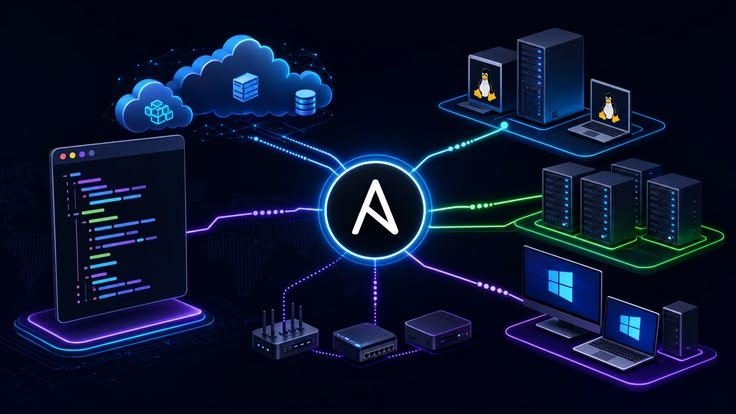
Infrastructure as Code allows administrators to define infrastructure using configuration files.
Benefits include:
- Automation
- Version control
- Consistency
- Faster deployments
- Easier recovery
IaC supports modern infrastructure management.
Train IT Staff
Technology evolves continuously.
IT professionals should receive training on:
- Cloud computing
- Cybersecurity
- Networking
- Automation
- Virtualization
- Disaster recovery
Continuous learning improves infrastructure management.
Measure Infrastructure Performance
Organizations should monitor Key Performance Indicators (KPIs).
Examples include:
- System uptime
- Response time
- Resource utilization
- Backup success rate
- Network latency
- Incident response time
Performance metrics support continuous improvement.
Common IT Infrastructure Mistakes
Organizations should avoid:
- Weak security controls
- Outdated software
- Poor documentation
- Infrequent backups
- Excessive user permissions
- Lack of monitoring
- Ignoring scalability
- Delayed hardware replacement
- Poor disaster recovery planning
- Inadequate employee training
Avoiding these mistakes improves infrastructure reliability.
Future of Modern IT Infrastructure
IT infrastructure continues to evolve with emerging technologies.
Future trends include:
- Artificial Intelligence operations (AIOps)
- Edge computing
- Hybrid cloud environments
- Serverless computing
- Zero Trust security
- Software-defined networking
- Infrastructure automation
- Green IT initiatives
Organizations adopting these technologies will improve efficiency and resilience.
Benefits of Following IT Infrastructure Best Practices
Implementing these best practices provides many advantages.
These include:
- Higher availability
- Better cybersecurity
- Faster application performance
- Improved scalability
- Reduced downtime
- Lower maintenance costs
- Better disaster recovery
- Increased productivity
- Stronger compliance
- Long-term business growth
Conclusion
Modern IT infrastructure is the backbone of digital business operations. A well-designed infrastructure supports reliable applications, secure data, efficient communication, and business continuity. Organizations should focus on scalability, cybersecurity, automation, monitoring, virtualization, disaster recovery, and continuous improvement to build resilient IT environments. By following proven IT infrastructure best practices, businesses can reduce operational risks, improve performance, protect sensitive information, and prepare for future technological advancements.
Frequently Asked Questions (FAQ)
1. What is modern IT infrastructure?
Modern IT infrastructure is the combination of hardware, software, networking, cloud services, storage, and security systems that support business operations.
2. Why is IT infrastructure important?
It provides the technology foundation needed to run applications, store data, enable communication, and support daily business activities.
3. What are the main components of IT infrastructure?
The main components include servers, storage, networking, cloud platforms, operating systems, databases, applications, and security tools.
4. Why is scalability important in IT infrastructure?
Scalability allows organizations to grow without replacing their existing infrastructure, reducing future costs and improving flexibility.
5. How does automation improve IT infrastructure?
Automation reduces manual work, minimizes human errors, speeds up deployments, and improves operational efficiency.
6. Why should organizations monitor infrastructure continuously?
Continuous monitoring helps detect performance issues, security threats, and system failures before they affect business operations.
7. What is Infrastructure as Code (IaC)?
Infrastructure as Code is a method of managing infrastructure using configuration files instead of manual setup, improving consistency and automation.
8. Why are backups important?
Backups protect business data from accidental deletion, hardware failures, cyberattacks, and disasters, ensuring business continuity.
9. What is the purpose of disaster recovery planning?
A disaster recovery plan helps organizations restore systems and data quickly after unexpected events, reducing downtime and financial losses.
10. What are the best practices for modern IT infrastructure?
Best practices include strong cybersecurity, regular updates, automation, continuous monitoring, scalable design, reliable backups, disaster recovery planning, network optimization, virtualization, and ongoing employee training.