
Best Cloud Security Practices For Companies
Introduction
Cloud computing has become a fundamental part of modern business operations. Companies use cloud platforms to store data, run applications, support remote work, and improve collaboration. While cloud technology offers flexibility, scalability, and cost savings, it also introduces new security challenges. Cybercriminals continuously target cloud environments to steal sensitive information, disrupt business operations, or gain unauthorized access to systems.
Cloud security is not the responsibility of the cloud provider alone. Most cloud services operate under a shared responsibility model, where the provider secures the infrastructure while customers are responsible for protecting their data, applications, user accounts, and configurations.
A single security mistake, such as using weak passwords, granting excessive permissions, or leaving storage publicly accessible, can expose confidential business information. For this reason, organizations must implement strong cloud security practices that reduce risks and improve overall protection.
This guide explains the most effective cloud security practices every company should follow to protect its cloud environment, maintain customer trust, and support long-term business growth.
Understand the Shared Responsibility Model
One of the first steps in cloud security is understanding the shared responsibility model.
Cloud providers are generally responsible for securing:
- Physical data centers
- Servers
- Networking infrastructure
- Hardware maintenance
- Core cloud services
Customers are responsible for protecting:
- User accounts
- Business applications
- Stored data
- Access permissions
- Operating systems (depending on the service model)
- Security configurations
Knowing these responsibilities helps prevent security gaps.
Choose a Trusted Cloud Service Provider
Selecting the right cloud provider is one of the most important security decisions.
Before choosing a provider, evaluate:
- Security certifications
- Data encryption capabilities
- Compliance support
- Service availability
- Backup and disaster recovery options
- Security monitoring
- Customer support
A trusted provider invests heavily in cybersecurity and continuously updates its security systems.
Use Strong Identity and Access Management (IAM)
Identity and Access Management controls who can access cloud resources.
A strong IAM strategy should include:
- Unique user accounts
- Role-based access control
- Least privilege access
- Regular permission reviews
- Account monitoring
Employees should receive only the permissions necessary to perform their jobs.
Enable Multi-Factor Authentication (MFA)
Passwords alone cannot provide sufficient security.
Multi-factor authentication requires users to verify their identity using an additional authentication method such as:
- Authentication apps
- Security keys
- SMS verification codes
- Email verification
- Biometric authentication
Even if passwords are compromised, MFA helps prevent unauthorized access.
Create Strong Password Policies
Weak passwords remain a major cause of security breaches.
Companies should require passwords that:
- Are long and complex
- Include letters, numbers, and symbols
- Are unique for every account
- Are changed when necessary
- Are never shared between employees
Password managers can help employees store secure passwords safely.
Encrypt Data at Rest and in Transit
Encryption protects sensitive information from unauthorized access.
Companies should encrypt:
- Stored files
- Databases
- Backups
- Emails
- Network communications
Encryption should protect data both:
- At rest (stored)
- In transit (moving across networks)
This significantly reduces the impact of data theft.
Apply the Principle of Least Privilege
Employees should only have access to the systems required for their work.
Avoid giving administrator privileges to users who do not need them.
Limiting permissions reduces the damage caused by:
- Insider threats
- Compromised accounts
- Human error
Access permissions should be reviewed regularly.
Regularly Monitor Cloud Activity
Continuous monitoring helps identify suspicious behavior quickly.
Organizations should monitor:
- Login attempts
- Failed authentication
- User activity
- Network traffic
- Configuration changes
- File access
- Administrative actions
Early detection allows security teams to respond before problems become serious.
Keep Software Updated
Outdated software often contains known security vulnerabilities.
Companies should regularly update:
- Operating systems
- Applications
- Security software
- Cloud management tools
- Third-party integrations
Automatic updates reduce the risk of cyberattacks.
Backup Business Data Regularly
Backups are essential for business continuity.
Organizations should create automatic backups for:
- Business documents
- Customer databases
- Financial records
- Application data
- System configurations
Backups should be stored securely and tested regularly.
Develop a Disaster Recovery Plan
Unexpected events can interrupt cloud services.
Examples include:
- Cyberattacks
- Hardware failures
- Natural disasters
- Human error
- Software failures
A disaster recovery plan should define:
- Recovery procedures
- Recovery time objectives
- Backup locations
- Team responsibilities
Testing the plan ensures it works when needed.
Secure Cloud Storage
Cloud storage should never be left publicly accessible unless intentionally required.
Best practices include:
- Restrict public access
- Encrypt stored files
- Review sharing permissions
- Monitor storage activity
- Remove unused files
Misconfigured cloud storage remains a common cause of data breaches.
Train Employees on Cloud Security
Employees are often the first line of defense.
Training should cover:
- Phishing attacks
- Password security
- Safe file sharing
- Secure remote work
- Data privacy
- Reporting suspicious activity
Regular awareness programs reduce human error.
Protect APIs
Many cloud services communicate through Application Programming Interfaces (APIs).
Organizations should:
- Authenticate API requests
- Use secure API keys
- Monitor API activity
- Limit API permissions
- Remove unused APIs
Securing APIs protects cloud applications from unauthorized access.
Monitor Cloud Configurations
Incorrect configurations create security vulnerabilities.
Review settings regularly, including:
- Storage permissions
- Firewall rules
- User access
- Network security groups
- Encryption settings
Configuration monitoring tools can automatically detect security issues.
Segment Cloud Networks
Network segmentation separates different workloads and systems.
For example:
- Finance systems
- Customer databases
- Development environments
- Production servers
Segmentation limits the spread of cyberattacks.
Conduct Regular Security Audits
Security audits help identify weaknesses before attackers exploit them.
Audits should evaluate:
- User permissions
- Security policies
- Compliance status
- Vulnerability management
- Backup procedures
Regular audits improve overall security.
Use Security Monitoring Tools
Cloud providers offer security monitoring services that help detect:
- Malware
- Unauthorized access
- Suspicious activity
- Configuration errors
- Compliance violations
Real-time alerts allow faster incident response.
Implement Data Loss Prevention (DLP)
Data Loss Prevention solutions help prevent sensitive information from leaving the organization.
DLP systems monitor:
- File transfers
- Email attachments
- Cloud storage
- User activity
These tools reduce accidental and intentional data leaks.
Remove Unused Resources
Unused cloud resources increase security risks.
Regularly remove:
- Inactive virtual machines
- Old storage buckets
- Unused applications
- Expired user accounts
- Unnecessary API keys
Reducing unused resources minimizes attack surfaces.
Secure Remote Access
Remote employees should connect securely.
Recommended practices include:
- Virtual Private Networks (VPNs)
- Multi-factor authentication
- Secure Wi-Fi
- Company-managed devices
- Endpoint security software
Secure remote access protects business information.
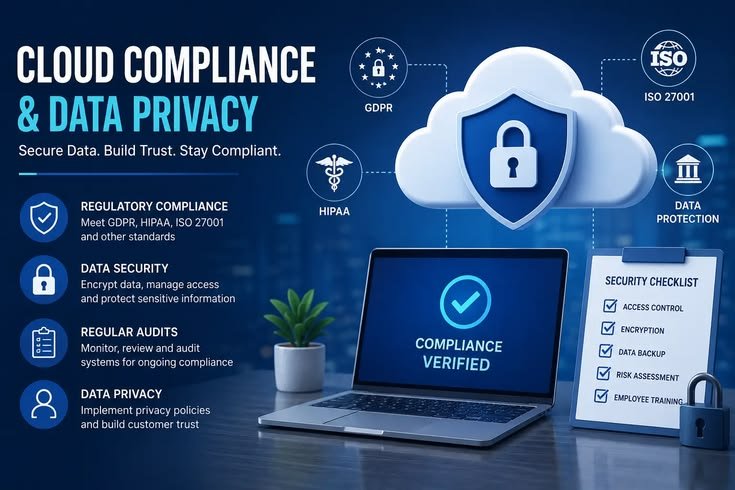
Comply With Industry Regulations
Many businesses must follow security regulations.
Examples include:
- GDPR
- HIPAA
- PCI DSS
- ISO 27001
- SOC 2
Compliance strengthens security while meeting legal requirements.
Create an Incident Response Plan
Security incidents require immediate action.
An incident response plan should define:
- Detection procedures
- Reporting processes
- Investigation steps
- Recovery actions
- Communication responsibilities
Prepared organizations recover more quickly.
Test Security Regularly
Organizations should regularly perform:
- Vulnerability scanning
- Penetration testing
- Configuration reviews
- Backup testing
- Disaster recovery exercises
Testing identifies security weaknesses before attackers do.
Build a Security-First Culture
Technology alone cannot secure cloud environments.
Management should encourage:
- Security awareness
- Responsible data handling
- Continuous learning
- Regular reporting of suspicious activity
- Strong cybersecurity habits
A security-focused workplace significantly reduces organizational risk.
Benefits of Following Cloud Security Best Practices
Implementing strong cloud security provides many advantages.
These include:
- Better data protection
- Lower cyberattack risk
- Improved customer trust
- Reduced downtime
- Easier regulatory compliance
- Faster incident response
- Stronger business continuity
- Lower financial losses
- Improved operational efficiency
- Long-term business stability
Conclusion
Cloud computing provides businesses with flexibility, scalability, and cost savings, but these benefits can only be achieved through strong security practices. Companies must understand their responsibilities, protect user accounts, encrypt sensitive information, monitor cloud environments, and train employees regularly. Security should be treated as an ongoing process rather than a one-time setup. By following proven cloud security best practices, organizations can reduce cyber risks, protect valuable data, maintain customer confidence, and build a secure foundation for future growth.
Frequently Asked Questions (FAQ)
1. What is cloud security?
Cloud security is the process of protecting cloud-based systems, applications, data, and infrastructure from cyber threats and unauthorized access.
2. Why is cloud security important for companies?
Cloud security protects sensitive business information, reduces cyber risks, supports compliance, and ensures business continuity.
3. What is the shared responsibility model?
It is a security model where the cloud provider protects the infrastructure while customers secure their data, applications, and user accounts.
4. How does multi-factor authentication improve cloud security?
MFA requires additional identity verification beyond passwords, making unauthorized access much more difficult.
5. Why should businesses encrypt cloud data?
Encryption protects stored and transmitted data from unauthorized access, even if attackers obtain the files.
6. What is the principle of least privilege?
It means giving users only the minimum access required to perform their job responsibilities.
7. How often should companies back up cloud data?
Critical business data should be backed up regularly, with automated backups and periodic recovery testing.
8. What are common cloud security threats?
Common threats include phishing attacks, ransomware, malware, account compromise, insider threats, data breaches, and configuration errors.
9. How can employee training improve cloud security?
Training helps employees recognize cyber threats, follow secure practices, and reduce the risk of human error.
10. What is the best way to improve cloud security?
A combination of strong access controls, encryption, multi-factor authentication, continuous monitoring, regular backups, employee training, and ongoing security audits provides the best protection for cloud environments.