Strong Password Tips Everyone Should Follow
In today’s digital world, passwords are the first line of defense against cybercriminals. Whether you’re checking your email, logging into social media, managing online banking, or shopping online, your password protects your personal information from unauthorized access.
Unfortunately, many people still use weak passwords like “123456,” “password,” or their birthdates. These passwords can be cracked within seconds using modern hacking tools. As cyberattacks continue to increase, creating strong and unique passwords has become more important than ever.
This guide explains why password security matters, how hackers steal passwords, and the best practices for creating passwords that keep your accounts safe.
Why Strong Passwords Matter
Every online account contains valuable information. Your email, banking apps, shopping accounts, and cloud storage may hold sensitive data that criminals can misuse if they gain access.
A strong password helps protect you from:
- Identity theft
- Financial fraud
- Data breaches
- Account hijacking
- Unauthorized purchases
- Privacy violations
A single weak password can put multiple accounts at risk, especially if you reuse the same password across different websites.
What Makes a Password Strong?
A strong password is difficult for both humans and computers to guess.
Generally, a secure password should:
- Be at least 12–16 characters long
- Include uppercase letters
- Include lowercase letters
- Include numbers
- Include special symbols
- Avoid common words
- Avoid personal information
- Be unique for every account
Example of a weak password:
Ahmed123
Example of a stronger password:
M!ghtyRiver#82Sun
Never copy these examples directly—create your own unique passwords.
Common Password Mistakes
Many people unknowingly make mistakes that weaken their online security.
1. Using Simple Passwords
Passwords such as:
- 123456
- password
- qwerty
- abc123
are among the first combinations hackers try.
2. Reusing the Same Password
Using one password for multiple accounts is risky.
If one website experiences a data breach, attackers often test the same email and password combination on:
- Gmail
- Amazon
- Banking websites
This technique is called credential stuffing.
3. Using Personal Information
Avoid using:
- Your name
- Birthday
- Phone number
- Child’s name
- Pet’s name
- Favorite sports team
This information is often available on social media.
4. Writing Passwords on Paper
Keeping passwords on sticky notes or notebooks can expose your accounts to anyone with physical access.
Instead, use a trusted password manager.
5. Sharing Passwords
Never share passwords through:
- Text messages
- Social media
- Chat apps
Even trusted contacts can accidentally expose your credentials.
12 Strong Password Tips Everyone Should Follow
1. Use Long Passwords
Length matters more than complexity alone.
A 16-character password is significantly harder to crack than an 8-character one.
Aim for at least 12 to 16 characters whenever possible.
2. Create Unique Passwords
Every online account should have its own password.
This prevents one compromised account from exposing all your other accounts.
Examples include:
- Banking
- Shopping
- Social media
- Streaming services
3. Use a Password Manager
Remembering dozens of complex passwords is difficult.
A password manager securely stores your passwords and can:
- Generate random passwords
- Autofill login forms
- Detect weak passwords
- Alert you to compromised credentials
Choose a reputable password manager and protect it with a strong master password.
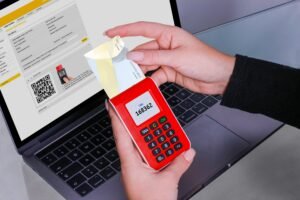
4. Enable Two-Factor Authentication (2FA)
Even the strongest password can be stolen.
Two-factor authentication adds another layer of security by requiring a second verification step, such as:
- A one-time code
- An authenticator app
- A hardware security key
This makes it much harder for attackers to access your accounts.
5. Avoid Dictionary Words
Hackers use automated tools that test millions of common words.
Avoid passwords made up of:
- Single words
- Famous names
- Movie titles
- Sports teams
Instead, combine unrelated words with numbers and symbols.
Example:
Blue!River92Coffee
6. Never Save Passwords on Shared Computers
Public or shared devices may store your login credentials.
Always:
- Log out after use
- Avoid saving passwords
- Clear browser data if necessary
Using private devices is always safer.
7. Change Passwords After a Data Breach
If a service announces a security breach:
- Change your password immediately
- Update any accounts using the same password
- Enable two-factor authentication if you haven’t already
Quick action can prevent unauthorized access.
8. Use Passphrases
A passphrase is a series of unrelated words that are easy to remember but difficult to guess.
Example:
Forest!Train7Moon&Coffee
Passphrases are often more secure than short, complex passwords because of their length.
9. Be Careful with Security Questions
Many websites still use security questions for account recovery.
Avoid answers that can be found online.
Instead, consider using fictional answers that only you know, and store them securely.
10. Watch Out for Phishing
Hackers often steal passwords through fake websites.
Before entering your credentials:
- Check the website URL
- Look for HTTPS
- Verify the site’s legitimacy
- Avoid clicking suspicious links
Always access important websites directly rather than through unexpected emails or messages.
11. Regularly Review Your Accounts
Check your accounts for:
- Unknown login attempts
- New devices
- Suspicious activity
- Password change notifications
Most online services provide a login history or security section where you can review account activity.
12. Update Passwords When Necessary
You don’t need to change passwords constantly if they’re already strong and unique.
However, you should update them if:
- You suspect someone knows them
- Your account has been compromised
- A service experiences a data breach
- You shared the password with someone
Regular security reviews are more effective than changing passwords without a reason.
How Hackers Steal Passwords
Understanding common attack methods helps you defend against them.
Phishing
Fake emails and websites trick users into revealing passwords.
Data Breaches
Hackers steal login databases from vulnerable websites.
Malware
Malicious software records keystrokes or steals stored credentials.
Brute Force Attacks
Automated tools guess millions of password combinations until they find the correct one.
Credential Stuffing
Attackers reuse stolen username and password combinations on multiple websites.
Strong, unique passwords significantly reduce the success of these attacks.
Password Security Best Practices
Develop these habits to strengthen your online security:
- Use different passwords for every account.
- Enable two-factor authentication whenever available.
- Use a trusted password manager.
- Avoid sharing passwords.
- Keep your devices updated.
- Be cautious of suspicious emails and links.
- Review account activity regularly.
- Use long passphrases instead of short passwords.
These practices work together to create a much stronger defense against cyber threats.
Frequently Asked Questions (FAQs)
How long should a strong password be?
A strong password should be at least 12 to 16 characters long. Longer passwords are generally more secure against brute-force attacks.
Should I use the same password for multiple accounts?
No. Each account should have a unique password. Reusing passwords increases the risk that one compromised account could lead to others being accessed.
Are password managers safe?
Yes, reputable password managers use strong encryption to protect your stored passwords. They also help generate secure, unique passwords for every account.
Is two-factor authentication necessary?
Yes. Two-factor authentication adds an extra layer of protection by requiring a second verification step, making it much harder for attackers to access your account even if they know your password.
How often should I change my passwords?
Change your password immediately if you suspect it has been compromised or if a service you use experiences a data breach. Otherwise, focus on using strong, unique passwords and monitoring your accounts.
Conclusion
Strong passwords are one of the simplest yet most effective ways to protect your digital life. By creating long, unique passwords, avoiding common mistakes, using a password manager, and enabling two-factor authentication, you can significantly reduce the risk of cyberattacks and unauthorized access.
Cybersecurity starts with small habits. Taking a few extra minutes to create secure passwords today can save you from identity theft, financial loss, and account compromise in the future. Make password security a priority and encourage your family and colleagues to do the same for a safer online experience.