
Benefits Of Cloud Computing For Businesses
Introduction
Cloud computing has transformed the way businesses operate in today’s digital economy. Organizations no longer need to invest heavily in expensive servers, storage devices, networking equipment, and large data centers to run their operations. Instead, they can access computing resources through the internet whenever needed. This shift has made technology more affordable, flexible, and accessible for businesses of every size.
Whether a company is a startup, a small business, or a multinational corporation, cloud computing provides solutions that improve productivity, reduce costs, enhance collaboration, and support business growth. Companies can quickly deploy applications, securely store data, and expand their operations without purchasing additional hardware.
Cloud computing also allows employees to work remotely, improves disaster recovery, and helps organizations adopt modern technologies such as artificial intelligence, machine learning, and big data analytics.
This article explains the major benefits of cloud computing for businesses and why it has become an essential part of modern business operations.
What Is Cloud Computing?
Cloud computing is the delivery of computing services over the internet. Instead of owning physical servers and maintaining local infrastructure, businesses rent computing resources from cloud service providers.
These services include:
- Virtual servers
- Cloud storage
- Databases
- Networking
- Software applications
- Data backup
- Artificial intelligence tools
- Analytics services
Organizations pay only for the resources they use.
Why Businesses Are Moving to the Cloud
Traditional IT infrastructure requires large investments in hardware, software, maintenance, electricity, and technical staff.
Cloud computing removes many of these responsibilities by allowing businesses to access ready-to-use infrastructure through the internet.
This approach helps companies become more efficient while reducing operational expenses.
Lower IT Costs
One of the biggest advantages of cloud computing is reducing technology costs.
Businesses no longer need to purchase expensive:
- Servers
- Storage devices
- Networking equipment
- Backup hardware
- Software licenses
Cloud providers maintain the infrastructure, reducing maintenance expenses and hardware replacement costs.
Small businesses especially benefit because they gain access to enterprise-level technology without making large upfront investments.
Pay-As-You-Go Pricing
Cloud providers use flexible pricing models.
Businesses pay only for:
- Storage used
- Computing power consumed
- Network traffic
- Cloud applications
This prevents unnecessary spending on unused resources.
Companies can easily adjust their costs according to business needs.
Easy Scalability
Business requirements change over time.
Cloud computing allows organizations to increase or reduce resources within minutes.
Businesses can quickly:
- Add storage
- Increase processing power
- Launch new servers
- Expand databases
- Support higher website traffic
This flexibility supports business growth without delays.
Improved Business Flexibility
Cloud services allow companies to respond quickly to market changes.
Organizations can launch new applications without purchasing hardware.
Development teams receive computing resources immediately.
This improves innovation and reduces deployment time.
Better Collaboration
Cloud computing improves teamwork.
Employees working from different locations can:
- Share documents
- Edit files together
- Communicate instantly
- Access the latest information
Cloud collaboration improves productivity and reduces communication delays.
Support for Remote Work
Remote work has become common across many industries.
Cloud computing allows employees to securely access business applications from:
- Home
- Offices
- Customer locations
- Business travel
Workers only need an internet connection and secure login credentials.
Improved Data Security
Modern cloud providers invest heavily in cybersecurity.
Security features include:
- Data encryption
- Firewalls
- Multi-factor authentication
- Identity management
- Security monitoring
- Automatic updates
Businesses also receive centralized control over user access.
Automatic Software Updates
Traditional software often requires manual updates.
Cloud applications update automatically.
Benefits include:
- Latest features
- Security improvements
- Bug fixes
- Better performance
Employees always use the newest version.
Reliable Data Backup
Data loss can seriously affect business operations.
Cloud providers automatically create backups.
Information is stored across multiple data centers.
Businesses recover files quickly if systems fail.
Better Disaster Recovery
Unexpected events can interrupt business operations.
Examples include:
- Hardware failures
- Cyberattacks
- Floods
- Fires
- Power outages
Cloud disaster recovery systems allow businesses to restore data and applications quickly.
This reduces downtime and financial losses.
Increased Productivity
Cloud computing reduces routine IT work.
Employees spend less time dealing with:
- Hardware failures
- Software installation
- Manual updates
- System maintenance
They focus more on productive business activities.
Faster Application Deployment
Businesses can deploy cloud applications much faster than traditional infrastructure.
New services can often be launched within hours instead of weeks.
This improves business responsiveness.
Global Accessibility
Cloud services are available worldwide.
Employees working in different countries can access:
- Business applications
- Documents
- Customer information
- Communication tools
This supports international operations.
Better Customer Service
Cloud-based customer service platforms improve communication.
Businesses can:
- Track customer requests
- Store customer history
- Respond faster
- Improve service quality
Better customer experiences strengthen business relationships.
Improved Business Continuity
Cloud computing helps businesses continue operating during unexpected disruptions.
Employees can work remotely while business applications remain available online.
This minimizes operational interruptions.
Flexible Storage Capacity
Business data grows continuously.
Cloud storage expands whenever additional capacity is needed.
Organizations avoid purchasing new storage hardware.
Environmental Benefits
Cloud computing reduces the need for local servers.
Large cloud providers operate energy-efficient data centers.
Businesses consume fewer physical resources.
This supports sustainability goals.
Better Resource Management
Cloud platforms provide monitoring tools that help businesses track:
- Storage usage
- Computing resources
- Application performance
- Network traffic
- Operating costs
These reports improve planning and decision-making.
Access to Advanced Technologies
Cloud providers offer advanced technologies that businesses can use without purchasing expensive systems.
Examples include:
- Artificial intelligence
- Machine learning
- Big data analytics
- Internet of Things (IoT)
- Automation services
These technologies support innovation.
Simplified IT Management
Cloud providers manage:
- Hardware
- Infrastructure
- Networking
- Security updates
- Performance monitoring
Internal IT teams spend more time improving business systems instead of maintaining equipment.
Competitive Advantage
Businesses using cloud computing often respond faster to changing customer needs.
They can:
- Launch products quickly
- Reduce operational costs
- Improve customer experiences
- Expand into new markets
This strengthens long-term competitiveness.
Common Business Applications of Cloud Computing
Businesses use cloud computing for many daily operations.
Examples include:
- Email services
- Customer relationship management (CRM)
- Accounting software
- Human resource management
- Project management
- Video conferencing
- File sharing
- Website hosting
- Data backup
- Business analytics
Industries Using Cloud Computing
Cloud computing supports many industries.
These include:
- Healthcare
- Banking
- Education
- Manufacturing
- Retail
- Government
- Logistics
- Telecommunications
- Media
- Information Technology
Every industry benefits from improved efficiency and digital services.
Challenges Businesses Should Consider
Although cloud computing offers many advantages, businesses should also prepare for certain challenges.
These include:
- Internet dependency
- Data privacy concerns
- Vendor lock-in
- Compliance requirements
- Cloud cost management
- Migration planning
Proper planning helps organizations overcome these challenges.
Best Practices
To maximize cloud computing benefits, businesses should:
- Select a trusted cloud provider.
- Encrypt sensitive information.
- Enable multi-factor authentication.
- Monitor cloud spending regularly.
- Create automatic backups.
- Train employees on cybersecurity.
- Review user permissions frequently.
- Test disaster recovery plans.
- Update security policies.
- Monitor system performance.
Conclusion
Cloud computing has become an essential technology for businesses seeking greater efficiency, flexibility, and long-term growth. It reduces infrastructure costs, improves collaboration, supports remote work, strengthens security, and provides scalable resources that adapt to changing business needs. Organizations can launch applications faster, recover from disasters more effectively, and access advanced technologies without investing heavily in physical hardware. By choosing the right cloud strategy and following security best practices, businesses can improve productivity while remaining competitive in an increasingly digital world.
Frequently Asked Questions (FAQ)
1. What is cloud computing for businesses?
Cloud computing allows businesses to access servers, storage, software, and other IT resources over the internet instead of maintaining physical infrastructure.
2. How does cloud computing reduce business costs?
It eliminates the need for expensive hardware purchases, reduces maintenance expenses, and uses a pay-as-you-go pricing model.
3. Is cloud computing secure for businesses?
Yes. Most cloud providers use encryption, identity management, multi-factor authentication, and continuous security monitoring.
4. Can small businesses benefit from cloud computing?
Yes. Small businesses gain access to enterprise-level technology without making large upfront investments.
5. How does cloud computing support remote work?
Employees can securely access files, applications, and business systems from anywhere with an internet connection.
6. What industries use cloud computing?
Healthcare, banking, education, retail, manufacturing, logistics, government, and technology companies all use cloud computing.
7. What are the main cloud deployment models?
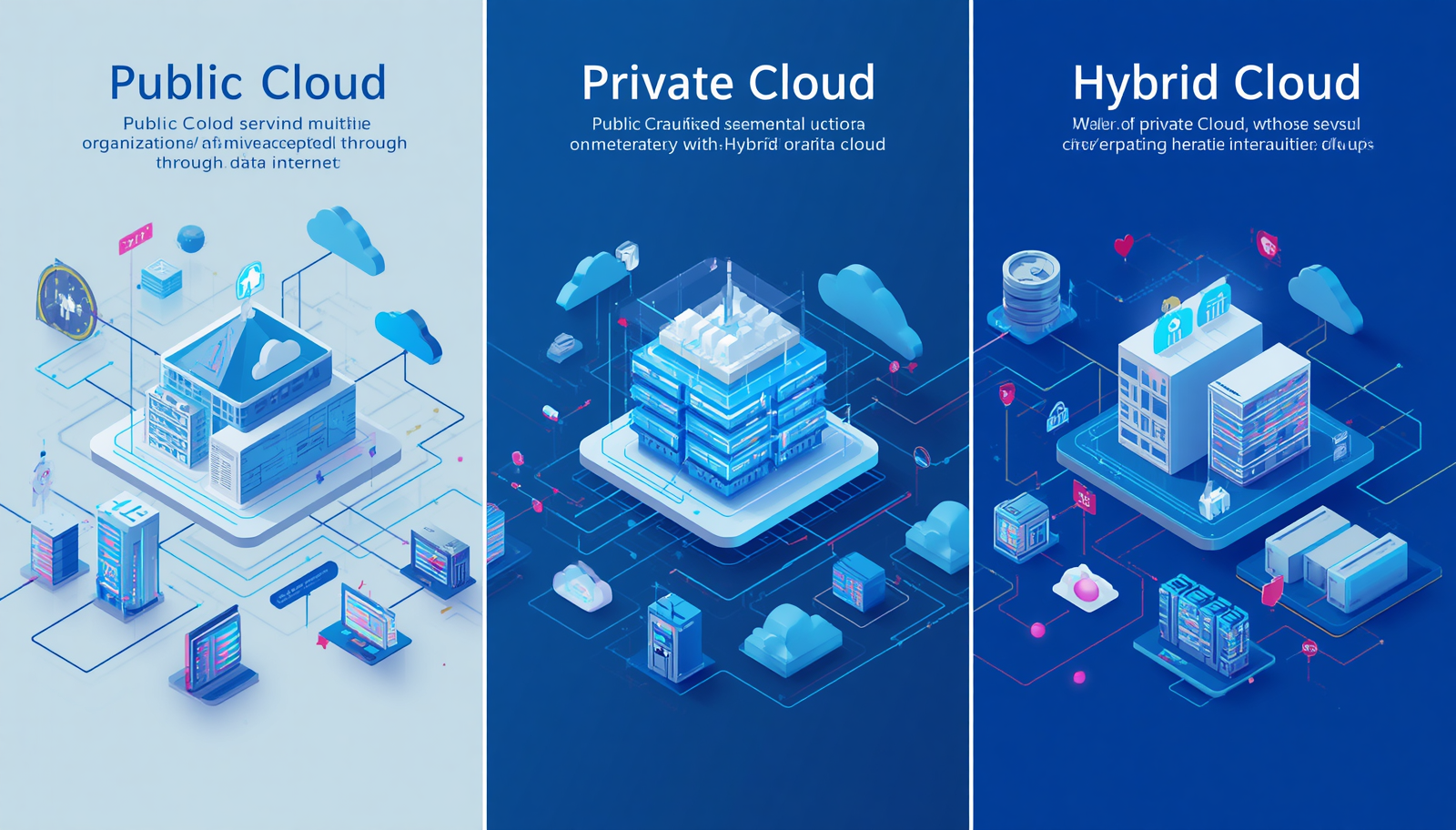
The three main deployment models are Public Cloud, Private Cloud, and Hybrid Cloud.
8. Does cloud computing improve disaster recovery?
Yes. Cloud providers offer automatic backups and disaster recovery solutions that help businesses restore operations quickly.
9. Can businesses increase cloud resources when needed?
Yes. Cloud services are highly scalable, allowing businesses to increase or reduce resources based on demand.
10. Why is cloud computing important for business growth?
Cloud computing improves efficiency, reduces operational costs, supports innovation, enhances collaboration, and enables businesses to scale without major infrastructure investments.